Service Manual (KLZ1000C) — page 226 of 762
Clutch › Clutch Removal
Text on this page
6-12 CLUTCH
Clutch
Clutch Removal
• Remove:
    Clutch Cover (see Clutch Cover Removal(6-9))
• little by little
  Loosen     the three clutch stopper bolts [A] alternately with
                   (1/4 turn at a time) to prevent tilting the clutch
    stopper plate [B].
                             NOTICE
    Do not loosen the one or two clutch stopper bolt at
    once to prevent clutch stopper plate from warpage
    by the spring force.

• Remove:
   Clutch Stopper Bolts [A]
      Clutch Stopper Plate [B]
      Clutch Springs [C]
•   Visually inspect the clutch stopper plate.
    If the clutch stopper plate is warped, replace it with a new
    one.

• Remove:
   Spring Seats [A]
     Clutch Pressure Plate [B] (with Shim, Bearing and
     Pusher [C])
     Friction Plates and Steel Plates

• Hold  the sub clutch hub [A] steady with the clutch holder
  [B], and remove the nut [C] and washers.
    Special Tool - Clutch Holder: 57001-1243

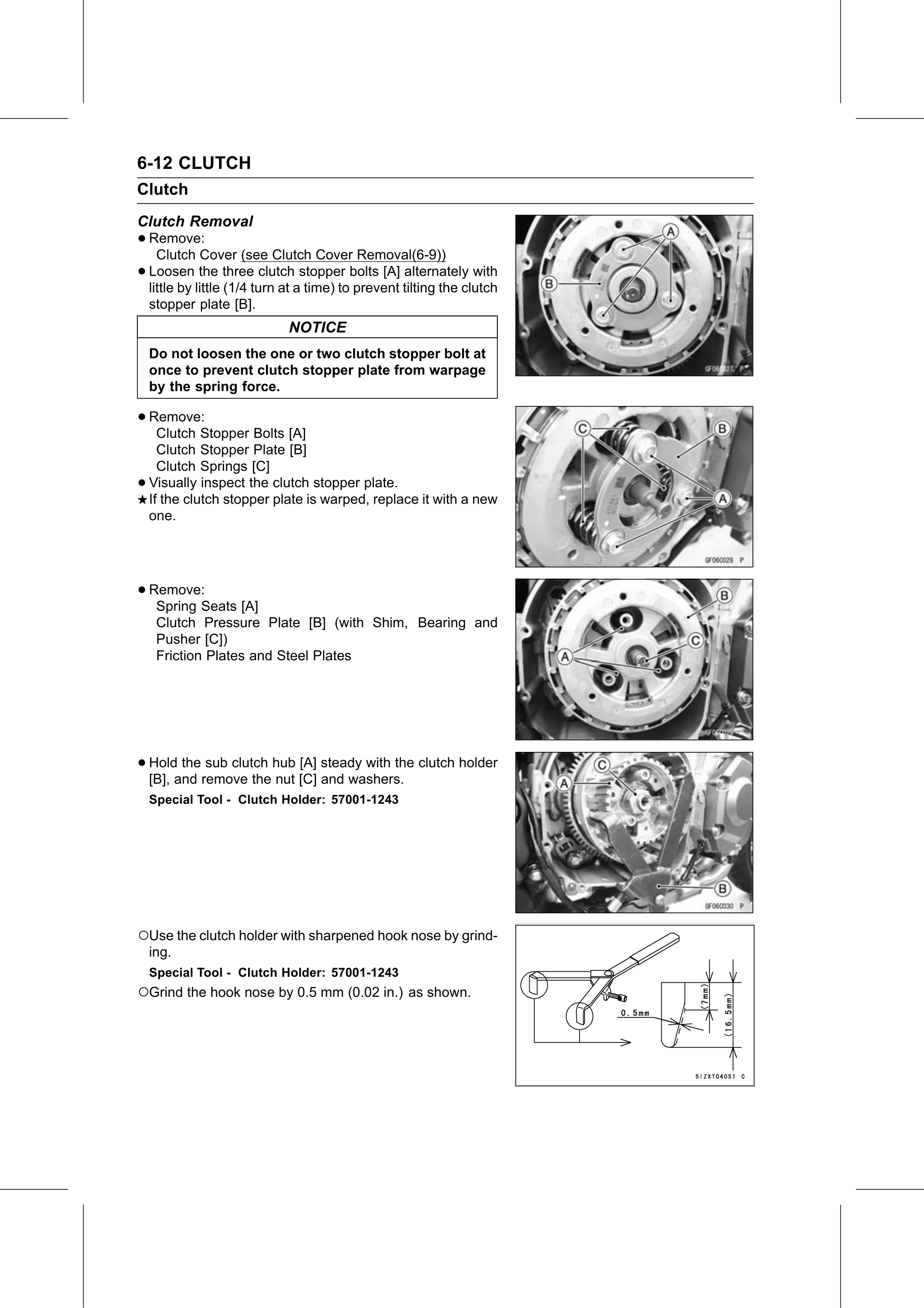
○Use the clutch holder with sharpened hook nose by grind-
    ing.
    Special Tool - Clutch Holder: 57001-1243
○Grind the hook nose by 0.5 mm (0.02 in.) as shown.