Service Manual (KLZ1000C) — page 510 of 762
Electrical System › Battery Activation
Text on this page
16-28 ELECTRICAL SYSTEM
Battery
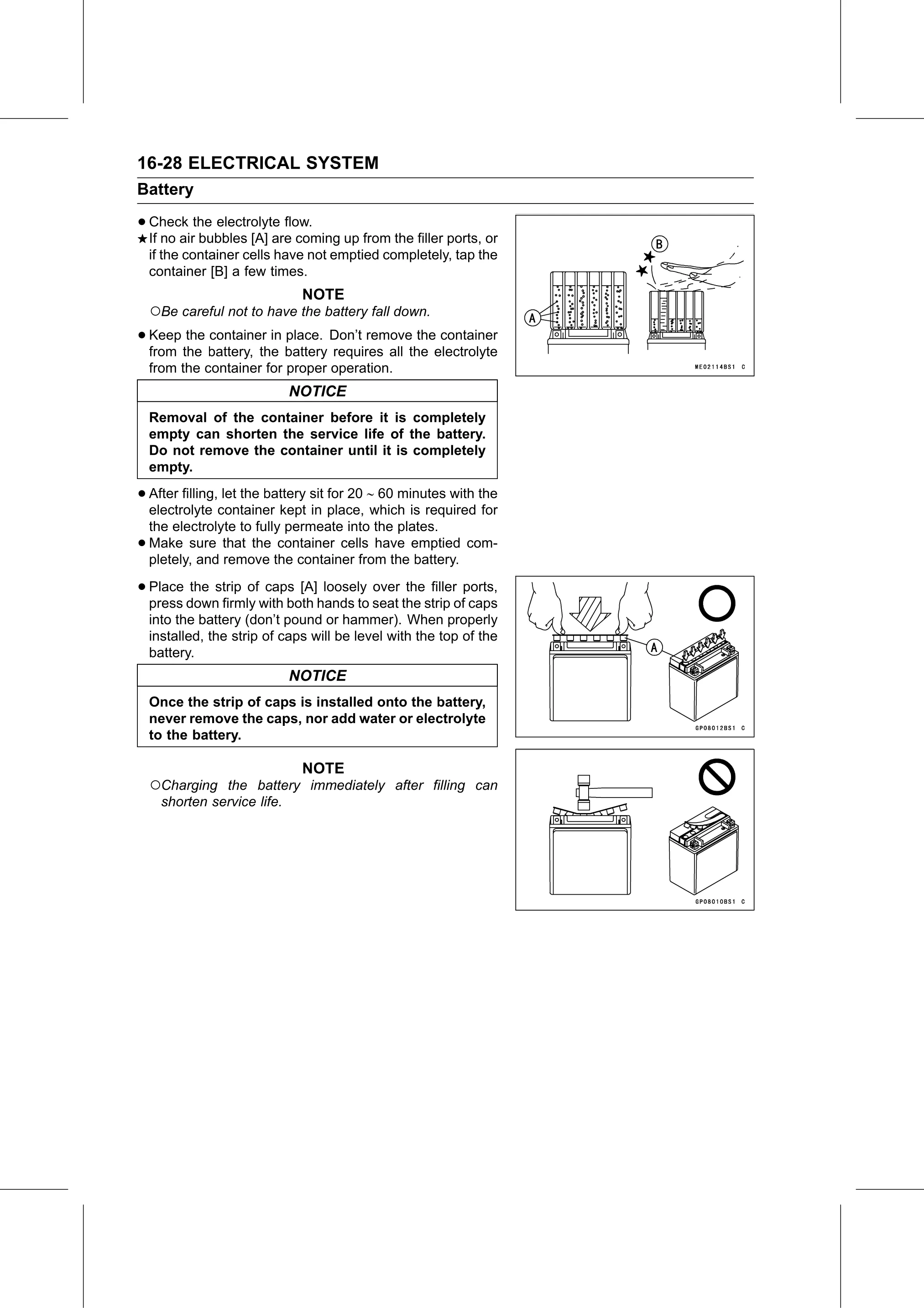
• Check the electrolyte flow.
If no air bubbles [A] are coming up from the filler ports, or
if the container cells have not emptied completely, tap the
container [B] a few times.
NOTE
○Be careful not to have the battery fall down.
• Keep the container in place. Don’t remove the container
from the battery, the battery requires all the electrolyte
from the container for proper operation.
NOTICE
Removal of the container before it is completely
empty can shorten the service life of the battery.
Do not remove the container until it is completely
empty.
• After filling, let the battery sit for 20 60 minutes with the
electrolyte container kept in place, which is required for
the electrolyte to fully permeate into the plates.
• Make sure that the container cells have emptied com-
pletely, and remove the container from the battery.
• Place the strip of caps [A] loosely over the filler ports,
press down firmly with both hands to seat the strip of caps
into the battery (don’t pound or hammer). When properly
installed, the strip of caps will be level with the top of the
battery.
NOTICE
Once the strip of caps is installed onto the battery,
never remove the caps, nor add water or electrolyte
to the battery.
NOTE
○Charging the battery immediately after filling can
shorten service life.