Service Manual — page 413 of 715
Final Drive › Drive Chain Replacement
Text on this page
FINAL DRIVE 11-7
Drive Chain
Drive Chain Installation
• Engage   the drive chain on the engine sprocket.
• Install:
   Swingarm (see Swingarm Installation in the Suspension
     chapter)
     Rear Wheel (see Rear Wheel Installation in the
     Wheels/Tires chapter)
     Engine Sprocket Cover (see Engine Sprocket Installa-
     tion)
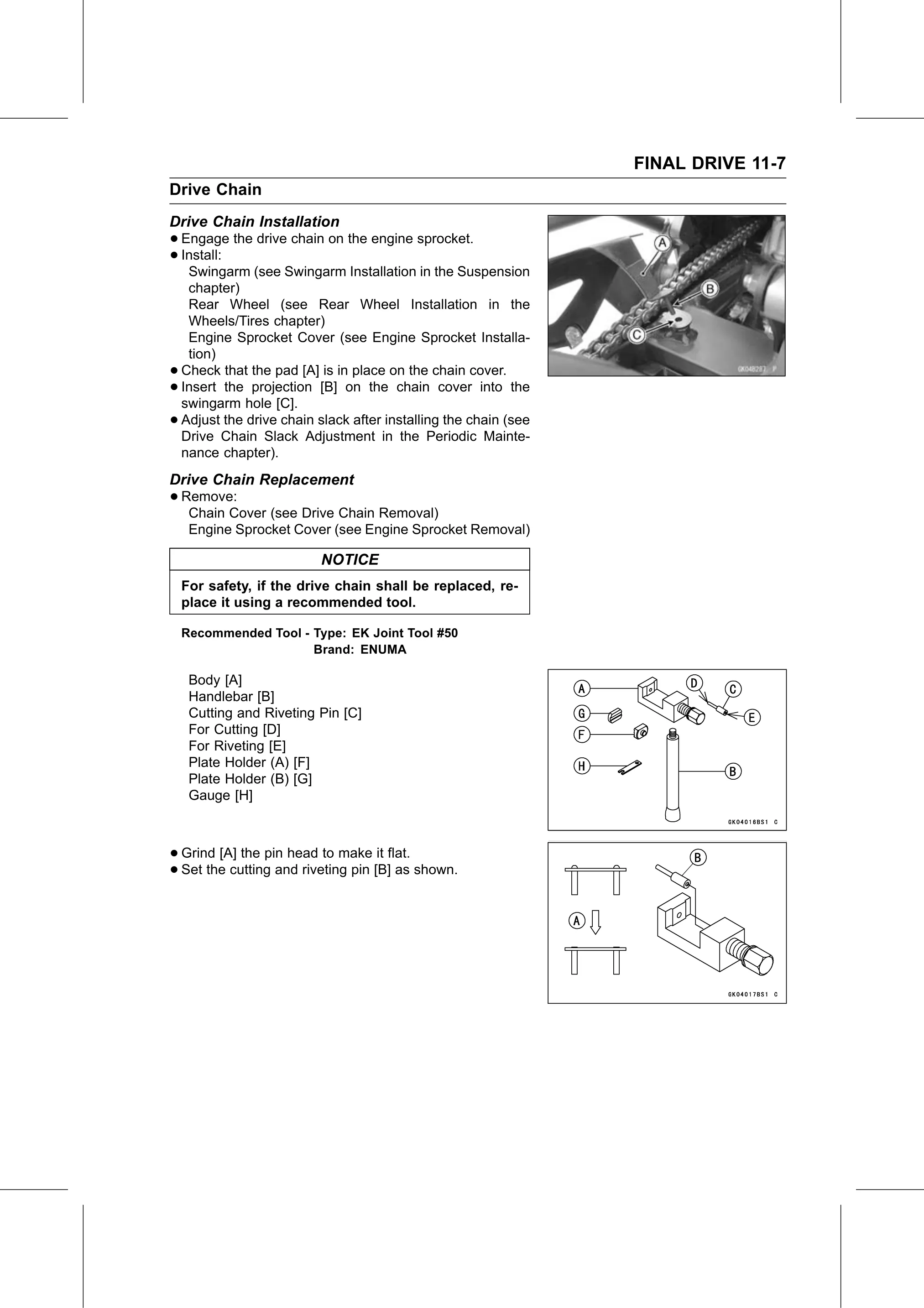
•   Check that the pad [A] is in place on the chain cover.
•   Insert the projection [B] on the chain cover into the
    swingarm hole [C].
•   Adjust the drive chain slack after installing the chain (see
    Drive Chain Slack Adjustment in the Periodic Mainte-
    nance chapter).
Drive Chain Replacement
• Remove:
   Chain Cover (see Drive Chain Removal)
     Engine Sprocket Cover (see Engine Sprocket Removal)

                            NOTICE
    For safety, if the drive chain shall be replaced, re-
    place it using a recommended tool.

    Recommended Tool - Type: EK Joint Tool #50
                       Brand: ENUMA

     Body [A]
     Handlebar [B]
     Cutting and Riveting Pin [C]
     For Cutting [D]
     For Riveting [E]
     Plate Holder (A) [F]
     Plate Holder (B) [G]
     Gauge [H]

• Grind [A] the pin head to make it flat.
• Set the cutting and riveting pin [B] as shown.