Owner's Manual — page 72 of 201 (printed page 70)
GENERAL INFORMATION
Text on this page
70 GENERAL INFORMATION

eM

SETTING)
m™) PUT Lys
Lit

LN

TG02500D G

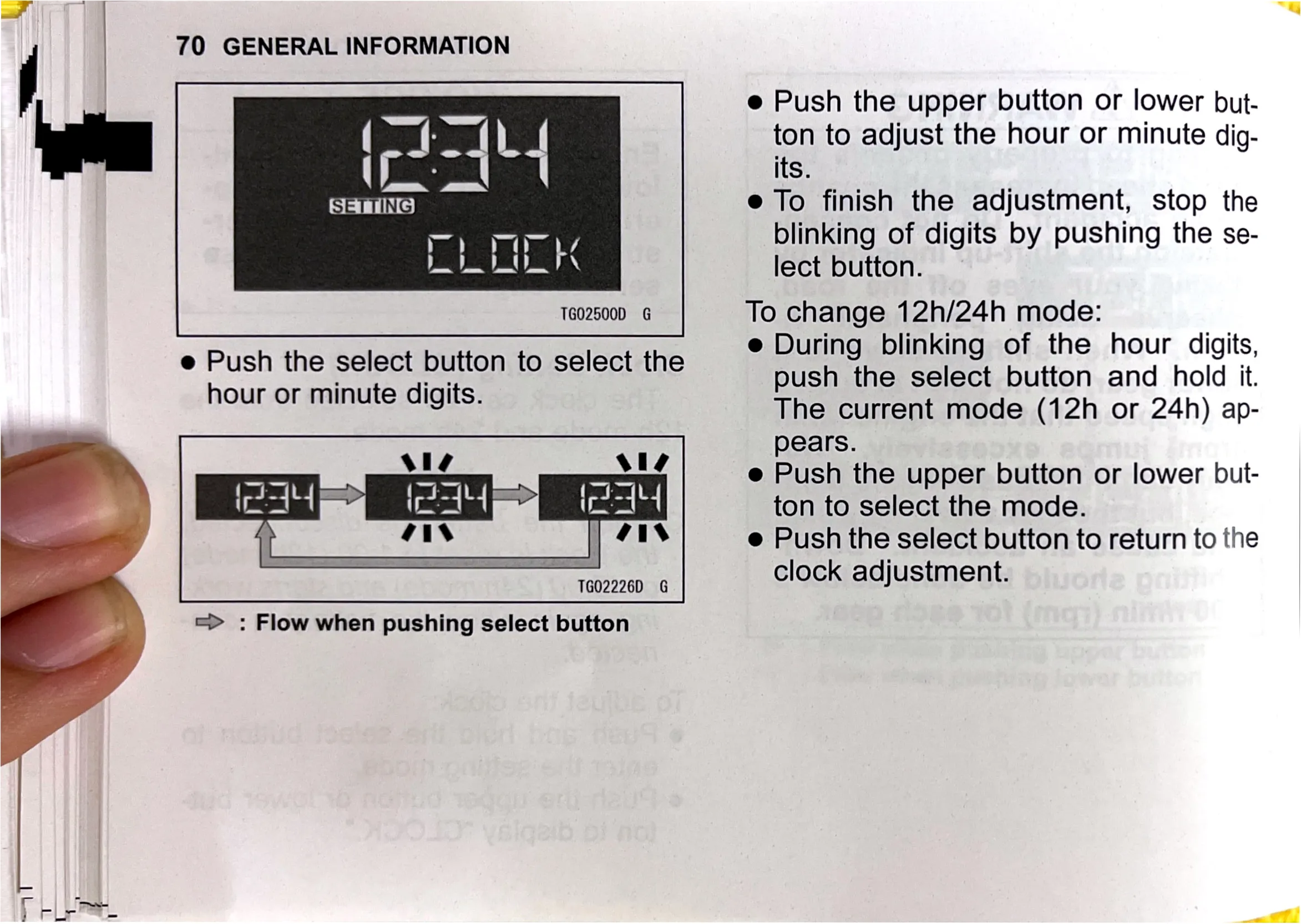
e Push the select button to select the
hour or minute digits.

Vie Vis

| ais

TG02226D G

=> : Flow when pushing select button

e Push the upper button or lower but-
ton to adjust the hour or minute dig-
its.

e To finish the adjustment, stop the
blinking of digits by pushing the se-
lect button.

To change 12h/24h mode:

e During blinking of the hour digits,
push the select button and hold it.
The current mode (12h or 24h) ap-
pears.

e Push the upper button or lower but-
ton to select the mode.

e Push the select button to return to the
clock adjustment.