Service Manual (KLZ1000C) — page 77 of 762
Periodic Maintenance › Steering Play Adjustment
Text on this page
PERIODIC MAINTENANCE 2-55
Periodic Maintenance Procedures

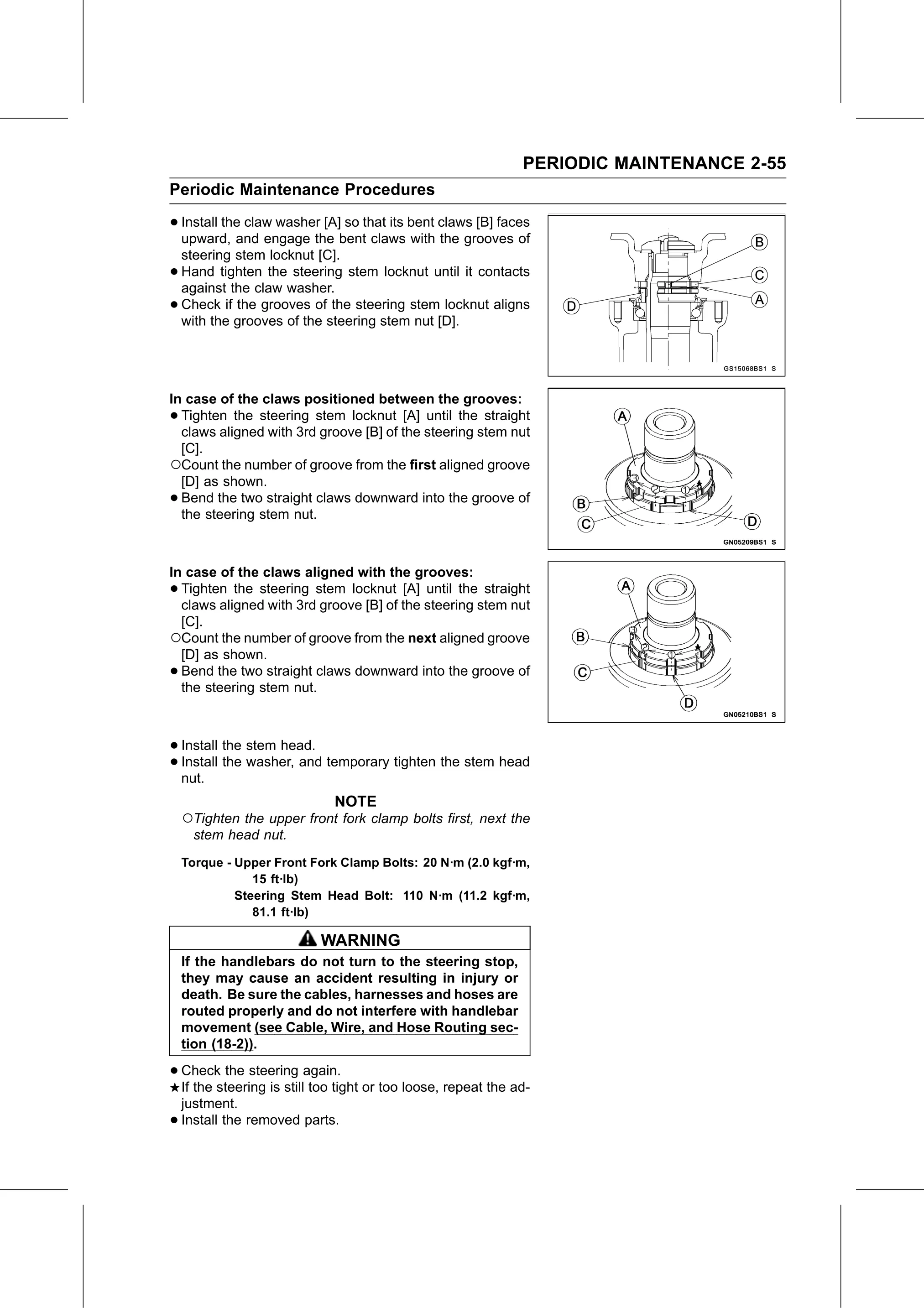
• Install the claw washer [A] so that its bent claws [B] faces
  upward, and engage the bent claws with the grooves of
    steering stem locknut [C].
•   Hand tighten the steering stem locknut until it contacts
    against the claw washer.
•   Check if the grooves of the steering stem locknut aligns
    with the grooves of the steering stem nut [D].

In case of the claws positioned between the grooves:
• Tighten the steering stem locknut [A] until the straight
  claws aligned with 3rd groove [B] of the steering stem nut
  [C].
○Count the number of groove from the first aligned groove
  [D] as shown.
• Bend the two straight claws downward into the groove of
  the steering stem nut.

In case of the claws aligned with the grooves:
• Tighten the steering stem locknut [A] until the straight
  claws aligned with 3rd groove [B] of the steering stem nut
  [C].
○Count the number of groove from the next aligned groove
  [D] as shown.
• Bend the two straight claws downward into the groove of
  the steering stem nut.

• Install the stem head.
• Install
  nut.
          the washer, and temporary tighten the stem head

                             NOTE
    ○Tighten the upper front fork clamp bolts first, next the
     stem head nut.
    Torque - Upper Front Fork Clamp Bolts: 20 N·m (2.0 kgf·m,
                15 ft·lb)
             Steering Stem Head Bolt: 110 N·m (11.2 kgf·m,
                81.1 ft·lb)

                           WARNING
    If the handlebars do not turn to the steering stop,
    they may cause an accident resulting in injury or
    death. Be sure the cables, harnesses and hoses are
    routed properly and do not interfere with handlebar
    movement (see Cable, Wire, and Hose Routing sec-
    tion (18-2)).

• Check   the steering again.
  If the steering is still too tight or too loose, repeat the ad-
    justment.
•   Install the removed parts.