Service Manual (KLZ1000C) — page 567 of 762
Electrical System › Electronic Cruise Control System Switches and Buttons Inspection
Text on this page
ELECTRICAL SYSTEM 16-85
Electronic Cruise Control System

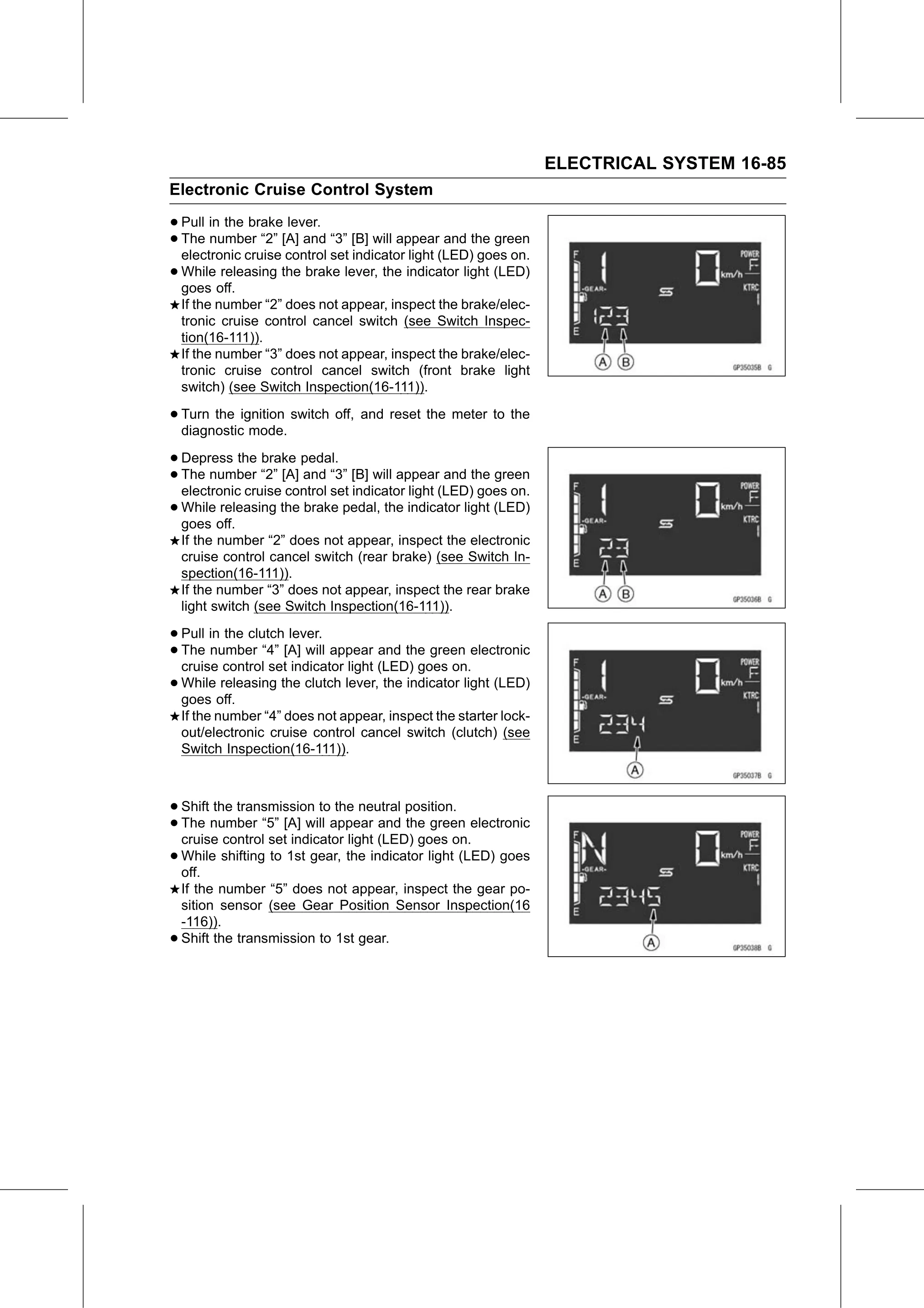
• Pull in the brake lever.
• electronic
  The  number “2” [A] and “3” [B] will appear and the green
             cruise control set indicator light (LED) goes on.
• goes off.
  While  releasing the brake lever, the indicator light (LED)

    If the number “2” does not appear, inspect the brake/elec-
    tronic cruise control cancel switch (see Switch Inspec-
    tion(16-111)).
    If the number “3” does not appear, inspect the brake/elec-
    tronic cruise control cancel switch (front brake light
    switch) (see Switch Inspection(16-111)).

• Turn the ignition switch off, and reset the meter to the
  diagnostic mode.

• Depress   the brake pedal.
• electronic cruise
  The  number   “2” [A] and “3” [B] will appear and the green
                     control set indicator light (LED) goes on.
• goes off.
  While  releasing  the brake pedal, the indicator light (LED)

    If the number “2” does not appear, inspect the electronic
    cruise control cancel switch (rear brake) (see Switch In-
    spection(16-111)).
    If the number “3” does not appear, inspect the rear brake
    light switch (see Switch Inspection(16-111)).

• Pull in the clutch lever.
• The  number “4” [A] will appear and the green electronic
  cruise control set indicator light (LED) goes on.
• While  releasing the clutch lever, the indicator light (LED)
  goes off.
    If the number “4” does not appear, inspect the starter lock-
    out/electronic cruise control cancel switch (clutch) (see
    Switch Inspection(16-111)).

• Shift the transmission to the neutral position.
• The   number “5” [A] will appear and the green electronic
  cruise control set indicator light (LED) goes on.
• While
  off.
         shifting to 1st gear, the indicator light (LED) goes

    If the number “5” does not appear, inspect the gear po-
    sition sensor (see Gear Position Sensor Inspection(16
    -116)).
•   Shift the transmission to 1st gear.