Service Manual — page 526 of 715
Steering › Handlebar Installation
Text on this page
14-12 STEERING
Handlebar

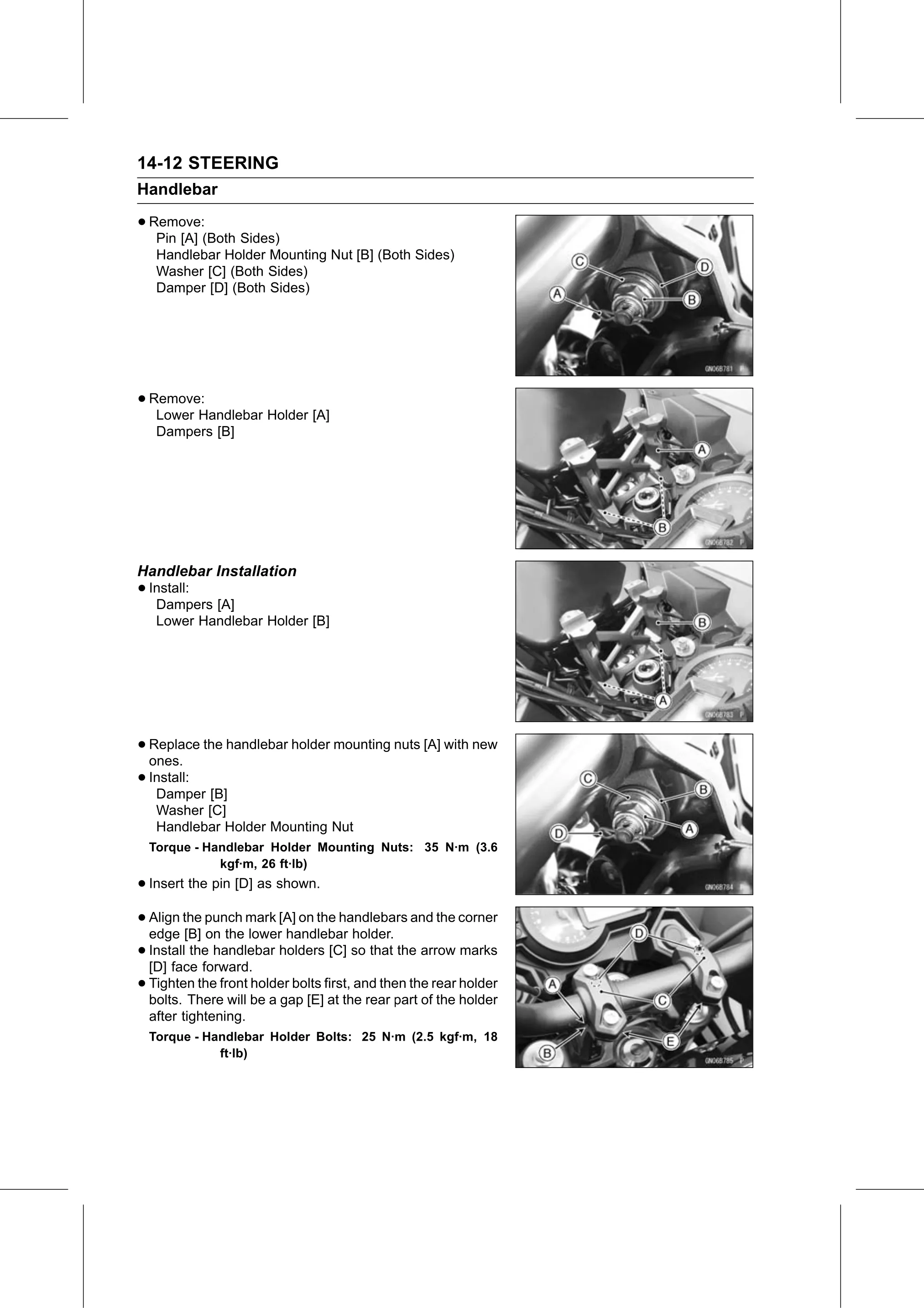
• Remove:
   Pin [A] (Both Sides)
   Handlebar Holder Mounting Nut [B] (Both Sides)
   Washer [C] (Both Sides)
   Damper [D] (Both Sides)

• Remove:
   Lower Handlebar Holder [A]
   Dampers [B]

Handlebar Installation
• Install:
   Dampers [A]
   Lower Handlebar Holder [B]

• Replace
  ones.
           the handlebar holder mounting nuts [A] with new

• Install:
   Damper [B]
   Washer [C]
   Handlebar Holder Mounting Nut
  Torque - Handlebar Holder Mounting Nuts: 35 N·m (3.6
             kgf·m, 26 ft·lb)
• Insert the pin [D] as shown.
• Align the punch mark [A] on the handlebars and the corner
  edge [B] on the lower handlebar holder.
• Install the handlebar holders [C] so that the arrow marks
  [D] face forward.
• Tighten   the front holder bolts first, and then the rear holder
  bolts. There will be a gap [E] at the rear part of the holder
  after tightening.
  Torque - Handlebar Holder Bolts: 25 N·m (2.5 kgf·m, 18
             ft·lb)