Service Manual — page 543 of 715
Frame › Meter Cover Removal
Text on this page
FRAME 15-15
Fairings

• Insert the hooks [A] of the fuel tank cover into the slots of
  the upper fairing while pushing them.
• Tighten:
    Torque - Fuel Tank Cover Bolt: 0.50 N·m (0.05 kgf·m, 4.4
               in·lb)

Meter Cover Removal
• Remove:
   Fuel Tank Cover (see Fuel Tank Cover Removal)
     Windshield Bracket (see Upper Fairing Removal)
     Bolts [A] and Collar
•   Slide the dust cover [B] and disconnect the meter connec-
    tor [C].

• Remove  (Both Sides):
   Quick Rivet [A]

• Pull the meter cover assembly [A] upward to clear the
  projections [B].
• Remove the meter cover assembly.

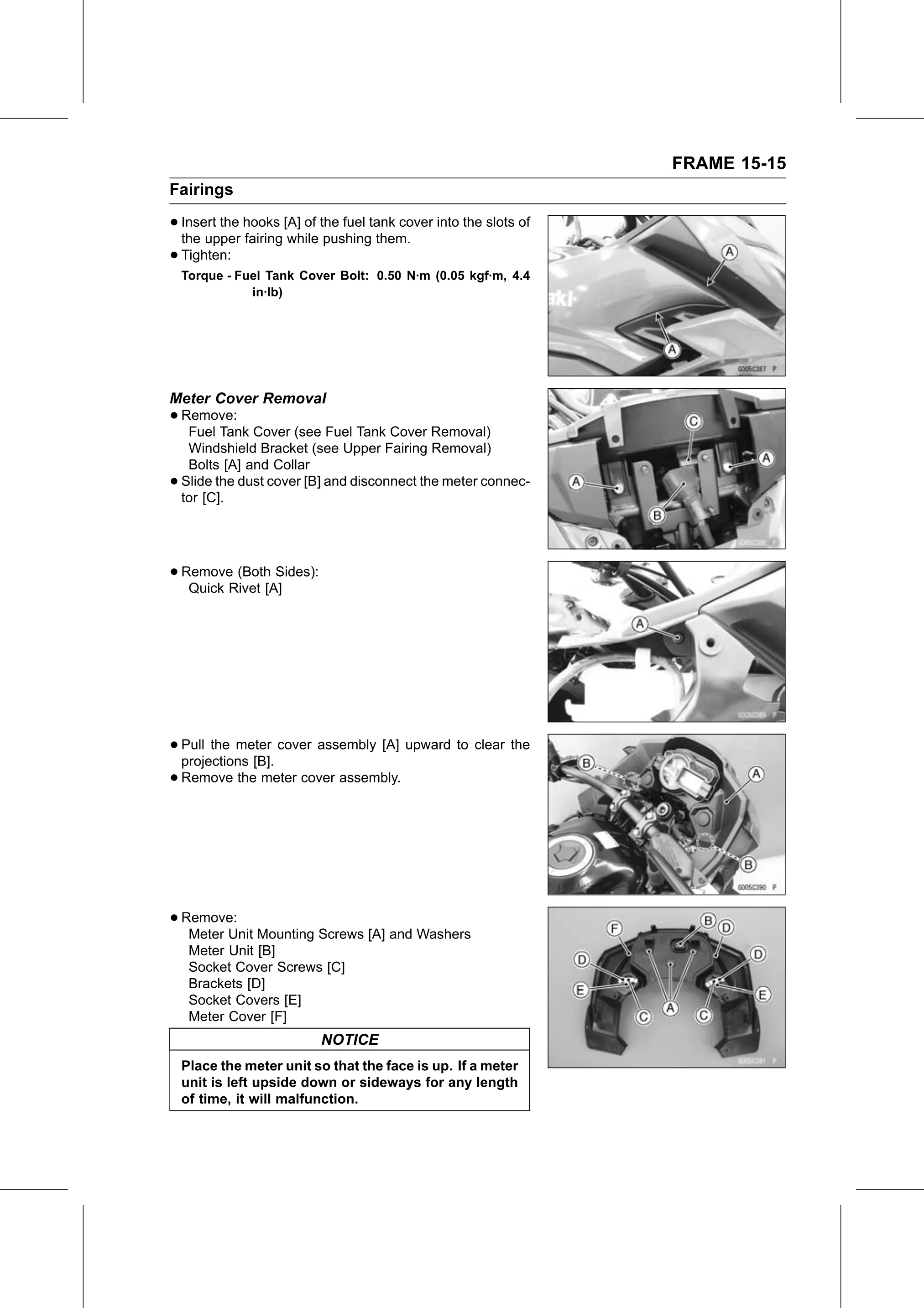
• Remove:
   Meter Unit Mounting Screws [A] and Washers
     Meter Unit [B]
     Socket Cover Screws [C]
     Brackets [D]
     Socket Covers [E]
     Meter Cover [F]
                          NOTICE
    Place the meter unit so that the face is up. If a meter
    unit is left upside down or sideways for any length
    of time, it will malfunction.