Service Manual (KLZ1000C) — page 441 of 762
Steering › Handlebar Installation
Text on this page
STEERING 14-11
Handlebar
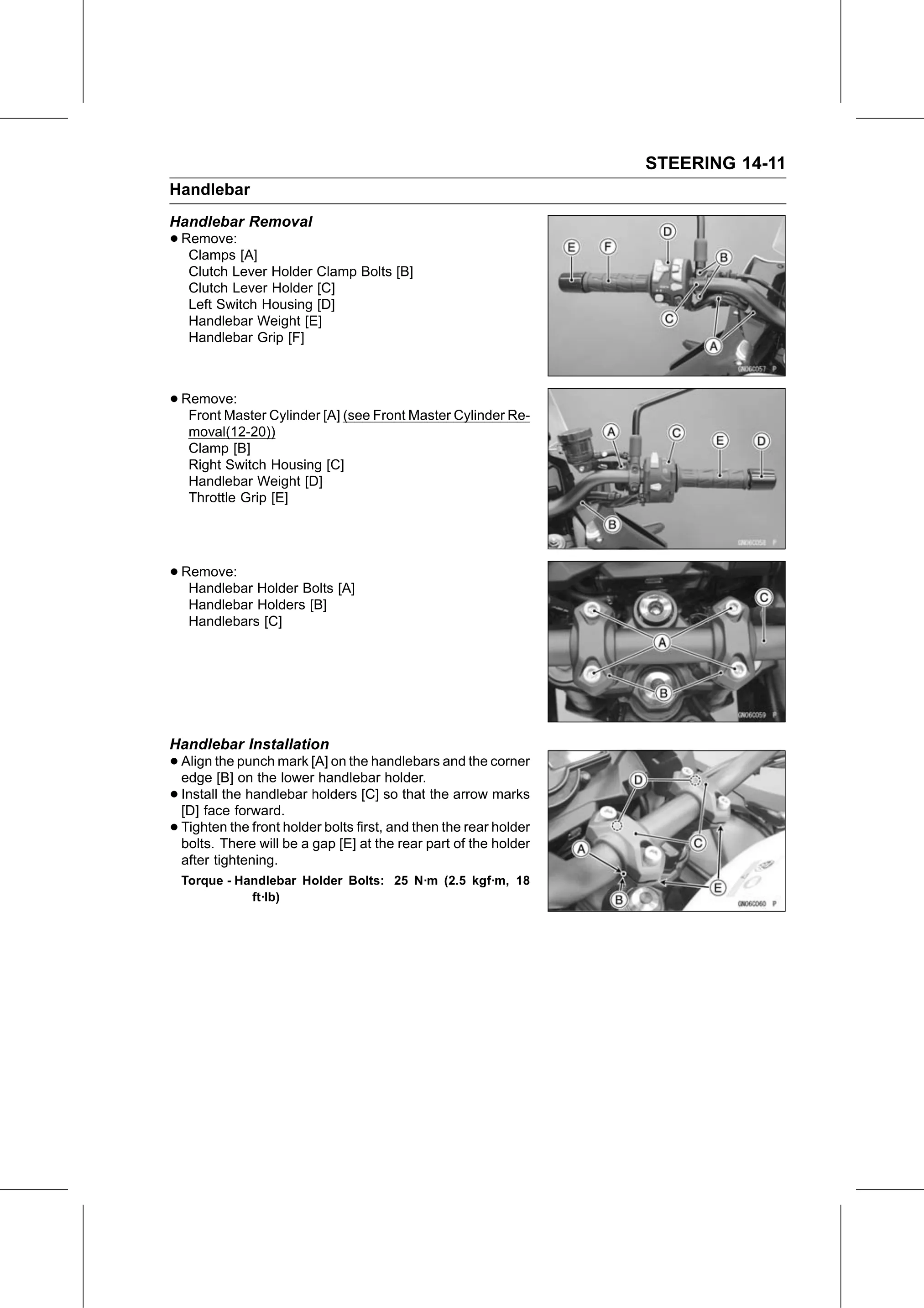
Handlebar Removal
• Remove:
   Clamps [A]
   Clutch Lever Holder Clamp Bolts [B]
   Clutch Lever Holder [C]
   Left Switch Housing [D]
   Handlebar Weight [E]
   Handlebar Grip [F]

• Remove:
   Front Master Cylinder [A] (see Front Master Cylinder Re-
   moval(12-20))
   Clamp [B]
   Right Switch Housing [C]
   Handlebar Weight [D]
   Throttle Grip [E]

• Remove:
   Handlebar Holder Bolts [A]
   Handlebar Holders [B]
   Handlebars [C]

Handlebar Installation
• Align the punch mark [A] on the handlebars and the corner
  edge [B] on the lower handlebar holder.
• Install the handlebar holders [C] so that the arrow marks
  [D] face forward.
• Tighten   the front holder bolts first, and then the rear holder
  bolts. There will be a gap [E] at the rear part of the holder
  after tightening.
  Torque - Handlebar Holder Bolts: 25 N·m (2.5 kgf·m, 18
             ft·lb)