Service Manual (KLZ1000C) — page 555 of 762
Electrical System › Meter System Inspection
Text on this page
ELECTRICAL SYSTEM 16-73
Meter, Gauge, Indicator Unit

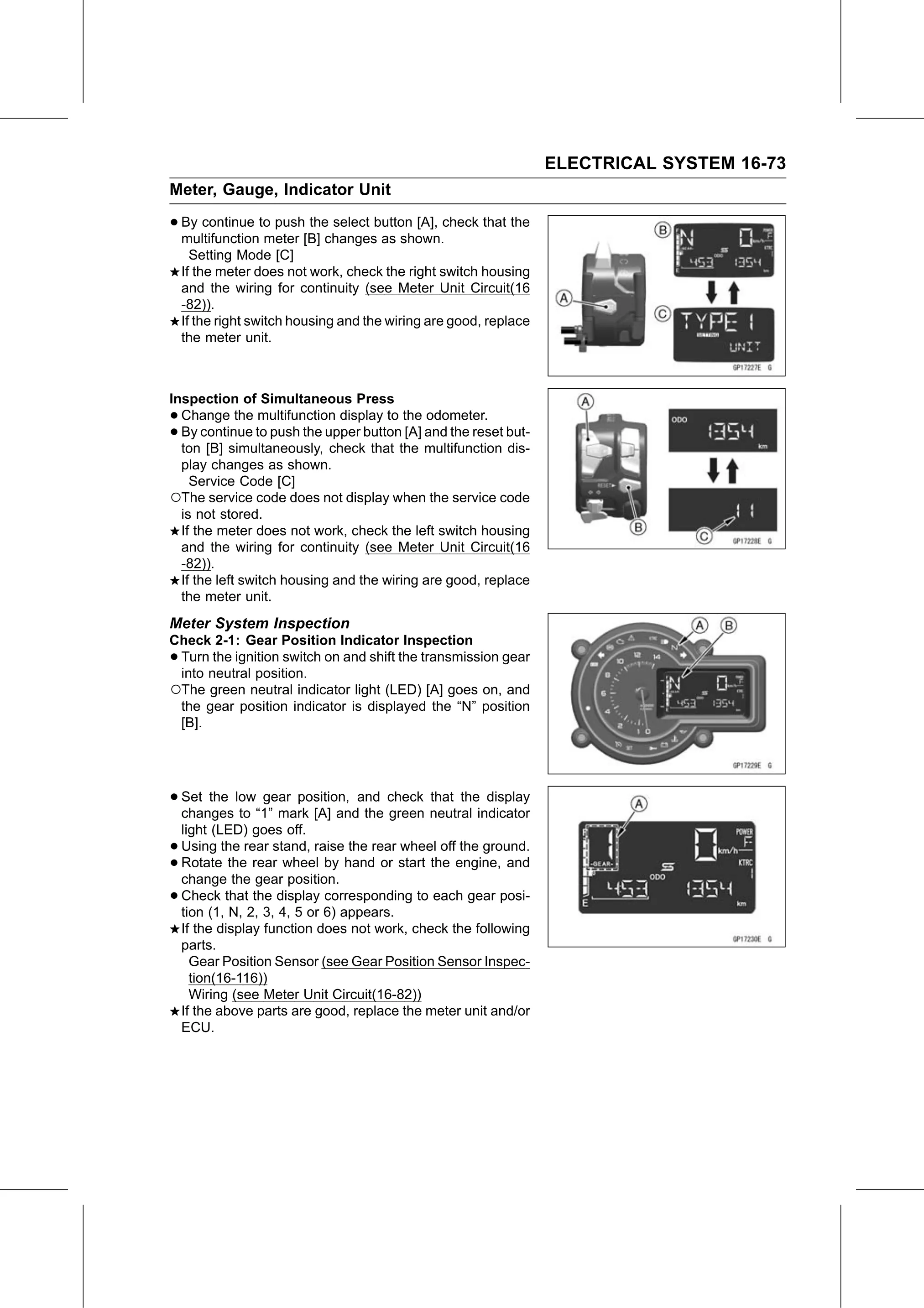
• By continue to push the select button [A], check that the
  multifunction meter [B] changes as shown.
      Setting Mode [C]
    If the meter does not work, check the right switch housing
    and the wiring for continuity (see Meter Unit Circuit(16
    -82)).
    If the right switch housing and the wiring are good, replace
    the meter unit.

Inspection of Simultaneous Press
• Change the multifunction display to the odometer.
• By continue to push the upper button [A] and the reset but-
  ton [B] simultaneously, check that the multifunction dis-
  play changes as shown.
    Service Code [C]
○The service code does not display when the service code
  is not stored.
  If the meter does not work, check the left switch housing
  and the wiring for continuity (see Meter Unit Circuit(16
  -82)).
  If the left switch housing and the wiring are good, replace
  the meter unit.
Meter System Inspection
Check 2-1: Gear Position Indicator Inspection
•Turn the ignition switch on and shift the transmission gear
 into neutral position.
○The green neutral indicator light (LED) [A] goes on, and
 the gear position indicator is displayed the “N” position
 [B].

• Set the low gear position, and check that the display
  changes to “1” mark [A] and the green neutral indicator
    light (LED) goes off.
•   Using the rear stand, raise the rear wheel off the ground.
•   Rotate the rear wheel by hand or start the engine, and
    change the gear position.
•   Check that the display corresponding to each gear posi-
    tion (1, N, 2, 3, 4, 5 or 6) appears.
    If the display function does not work, check the following
    parts.
      Gear Position Sensor (see Gear Position Sensor Inspec-
      tion(16-116))
      Wiring (see Meter Unit Circuit(16-82))
    If the above parts are good, replace the meter unit and/or
    ECU.